/
Guides
View tools in MCP apps: what they are and how to build with them using Skybridge & Alpic
The MCP Apps spec recently added view-provided tools: handlers that run inside a widget, against a live client-side state, callable by the model. This post covers how they work, what they make possible, and how to build and run them today with Skybridge and Alpic Playground.
TL;DR
Until now, MCP App widgets could only push state to the model. There was no way for the model to query UI state or act on the interface directly without looping through the MCP Server.
View tools fix that: the widget itself can register MCP tools, giving the model the opportunity to interact directly with the app.
Alpic Playground is the first production host to implement the features required to run view tools end to end.
Skybridge shipped
useRegisterViewTool, a single React hook to register a view tool in a few lines of code.
What are view tools in MCP apps?
Until now, tools in an MCP App lived only on the server. The view (a.k.a. widget) could push its state to the model so the model could know what the user was seeing (via Skybridge's data-llm attribute, widgetState, or the official sendFollowup API). But that channel was push-only and passive. The model consumed whatever the app decided to broadcast, but it couldn't ask for a specific state, and it had no way to act on the UI directly.
View tools invert that paradigm. The widget itself registers MCP tools, and their handlers execute in the browser, inside the iframe, with direct access to the live client-side state. The host discovers them, the model calls them, the handler runs in the view.
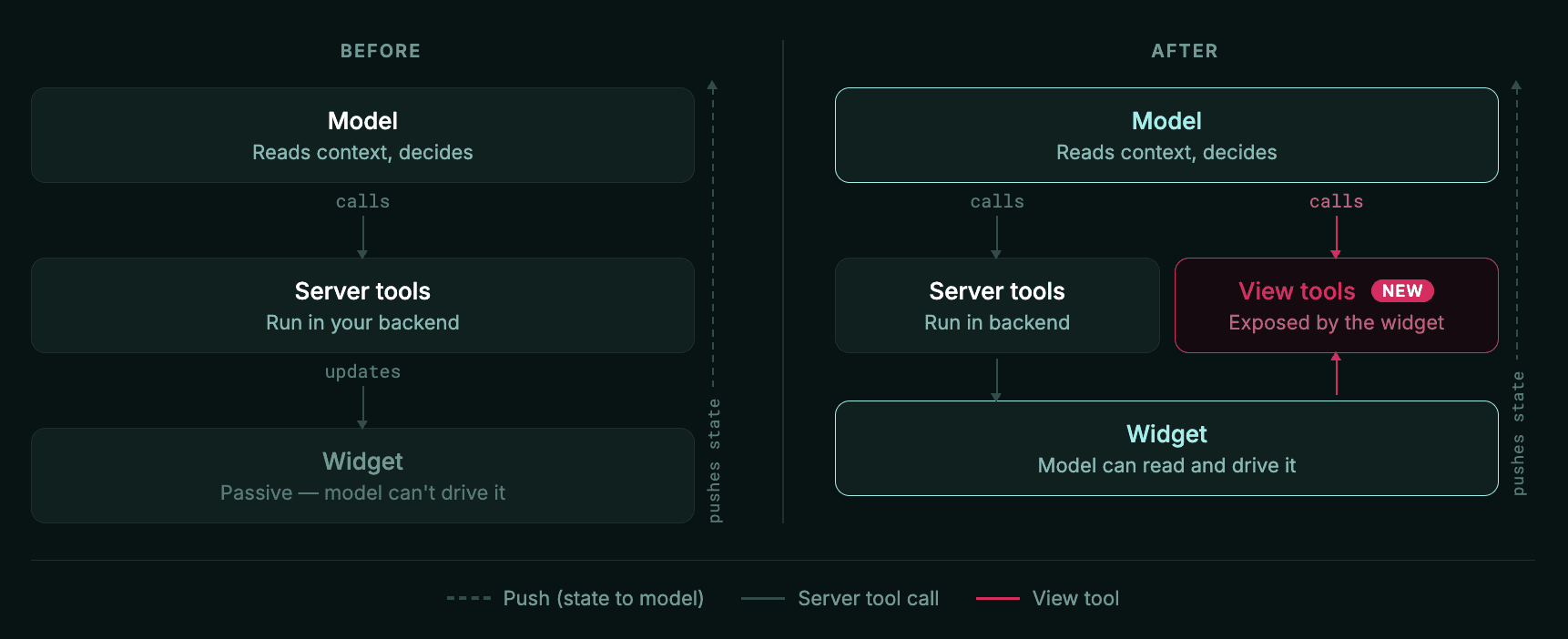
View tools reuse the same MCP protocol plumbing as standard tools: tools/list, tools/call, notifications/tools/list_changed.
They are also transient and sandboxed by design. View tools exist while the view is open and disappear when it unmounts. That's a clean separation from server tools, which are persistent and trusted.
What this makes possible
Before view tools, the model was an observer of the live UI. With view tools, two things change:
Pull on demand. The model can query exactly the state it needs, when it needs it instead of depending on the app to have pushed it ahead of time.
Act on the UI. The model can call tools the view exposes to mutate live state: make a move, fill in a field, submit a form, pan a map.
Together with push (e.g. Skybridge's data-llm), the model now has both a read channel it controls and a write channel into the live view. True bidirectional turn loops between human, UI, and model become natural, as all three act on the same state.
This unlocks a number of powerful use cases:
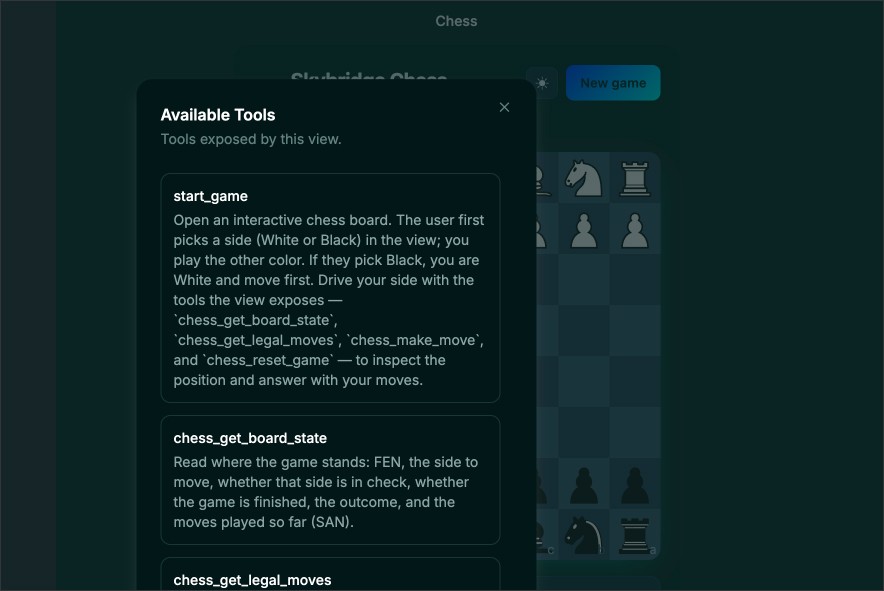
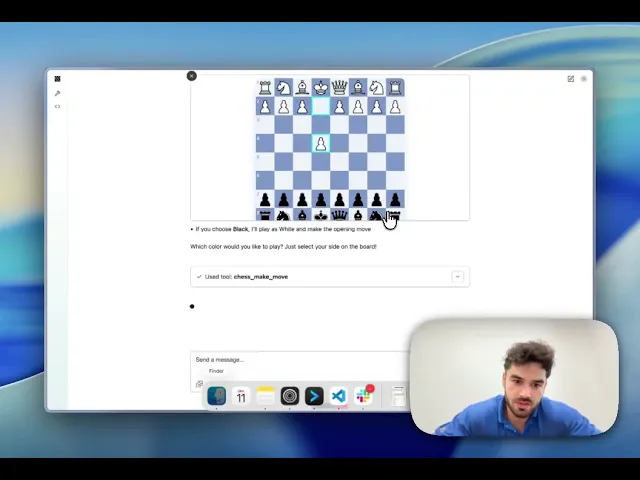
Board games and turn-based apps. The model can read the live board state and make moves directly. The chess example below shows this end to end, with the model calling tools against live board state in the Alpic Playground.
Form co-editing. The model can read what the user has already filled in, validate, fill out the remaining fields, flag errors, and submit, all with no server round trips.
Voice dictation. The host captures speech in the browser, and the UI updates instantly with voice. The model can then pull the transcript, clean it up, and route it into the right fields or actions. The audio never touches a server tool.
Interactive maps. A travel app can expose the map viewport as a view tool, letting the model pan, zoom, and highlight relevant options in context rather than describing locations in text.
Canvas and editor apps. The model can inspect what's on the canvas and manipulate it directly, designing alongside the human user.
But wait, how are view tools different from WebMCP?
In essence, WebMCP adds MCP tools to an existing website interface for agents crawling the internet. It operates outside of the chat interface, directly in the browser. View tools on the other hand are scoped to a specific app running inside a conversation, with the handler executing inside the app's iframe. They're complementary, not competing approaches to two different uses of AI agents.
Start building with Alpic!
We think view tools unlock some of the most interesting MCP App interactions yet, so we prioritized shipping support for them fast!
Write effortlessly with Skybridge
In our latest release of Skybridge, we shipped useRegisterViewTool, a React hook that registers a view tool in just a few lines. It's the mirror of useCallTool: where useCallTool lets the view call a server tool, useRegisterViewTool lets the view expose a tool for the model to call.
Check out our chess example to see this in action! With this app, you can play an entire game of chess without ever making a call to the backend.
Try it out for yourself at chess.skybridge.tech/try or build with it using our chess example.
A practical note on compatibility: view tools are an MCP Apps feature with no ChatGPT equivalent at the moment, so useRegisterViewTool is a no-op on that runtime.
Try it out live on the Alpic playground
View tools only work if the host implements the ext-apps AppBridge JSON-RPC transport and is willing to surface app-registered tools to the model. Most don't yet, but Alpic Playground does! That makes it the first production host to support this (alongside MCPJams implementation for testing environments).
Summing it up
View tools turn MCP Apps from screens the model fills into surfaces it can read and drive, a real three-way loop between human, live UI, and model. Skybridge makes building them a breeze; Alpic Playground is one of the few places you can run them today. Get started at the links below!
Skybridge —
useRegisterViewTooland the chess example