/
MCP Guides
Skybridge V1.0: THE framework for building MCP apps
Building an MCP App is a genuinely new problem. You're not building a website or a standard API; you're building something that runs inside an AI assistant, interacts with a non-deterministic model, and renders UI within a chat. A year ago, none of that existed. Today, MCP Apps run reliably in Claude and ChatGPT, the official SDK has matured, and +1,000 apps are present in the public app stores.
Earlier this year, we open-sourced Skybridge, a full-stack TypeScript framework for building MCP Apps. It handles the plumbing: the MCP server, view rendering, CSP configuration, dev tools, client compatibility, and the connection between your server logic and your UI components. The goal is to let you focus on what your app does, rather than how to wire it all together.
The response was bigger than we expected. Skybridge now has 100k monthly downloads and powers over 10% of apps on the Claude and ChatGPT stores, with teams ranging from Fortune 500 companies to early-stage startups. That adoption is what's driving this release.
Today we're thrilled to introduce Skybridge 1.0, a first-class framework with a stable API, a complete developer toolchain, and a clear commitment to the MCP Apps ecosystem. If you're building an MCP App, this is the foundation to build on.
Simpler, type-safe API
The goal of Skybridge has always been to abstract away underlying implementation details. In v1, that means one entry point: server.registerTool(config, handler). It replaces the old split between plain tools and tools with a view: include a view in the config if you need one, and Skybridge wires it up. The Vite plugin handles component discovery and bundling automatically. Less boilerplate, fewer wiring mistakes, and a cleaner mental model overall.
Think of Skybridge as the React Native of MCP App development: one codebase, compatible with every environment.
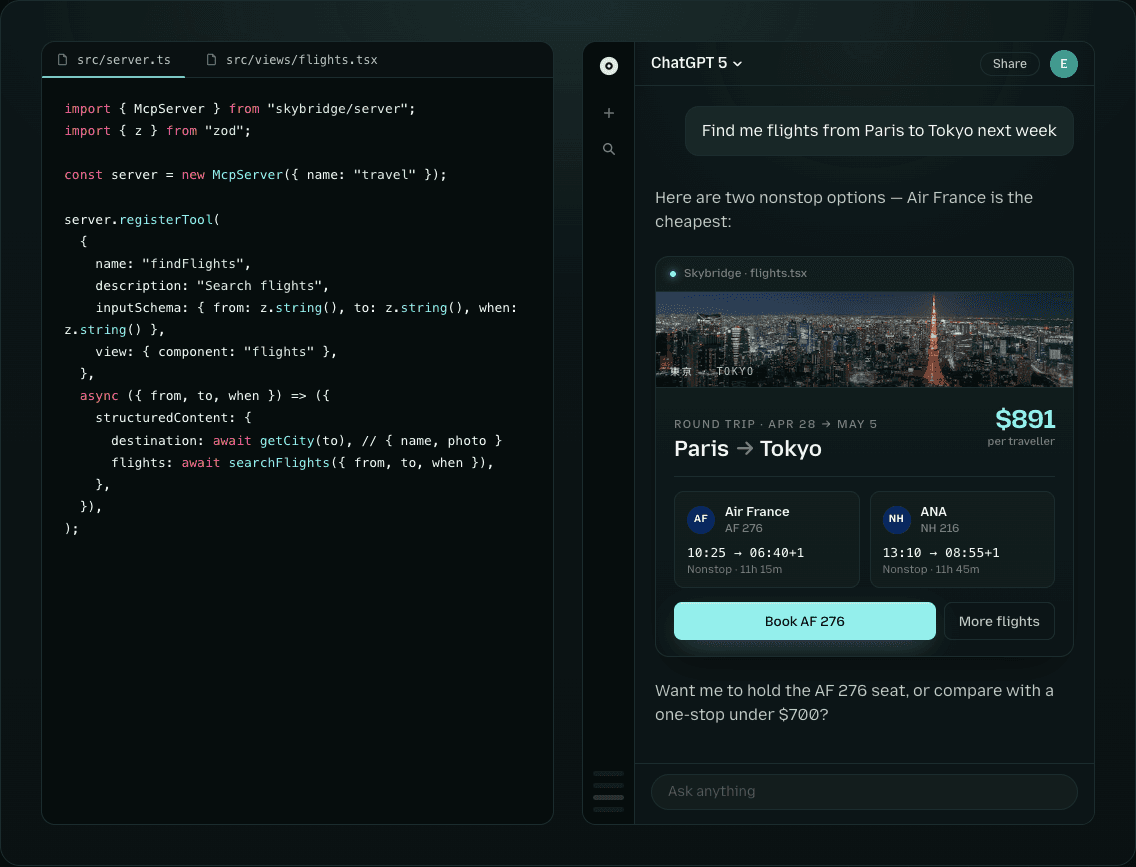
Notably, we're the first framework to include strongly typed tool-to-component binding, which is particularly useful when building with agents, where small mistakes are difficult to track down. We've also standardized on the term "views" across the framework and docs.
A (really) complete dev loop
One of the hardest things about building MCP Apps has always been the feedback loop. You make a change, tunnel your local server, switch to ChatGPT or Claude, test, and repeat. For every small UI tweak or logic fix, that cycle compounds fast.
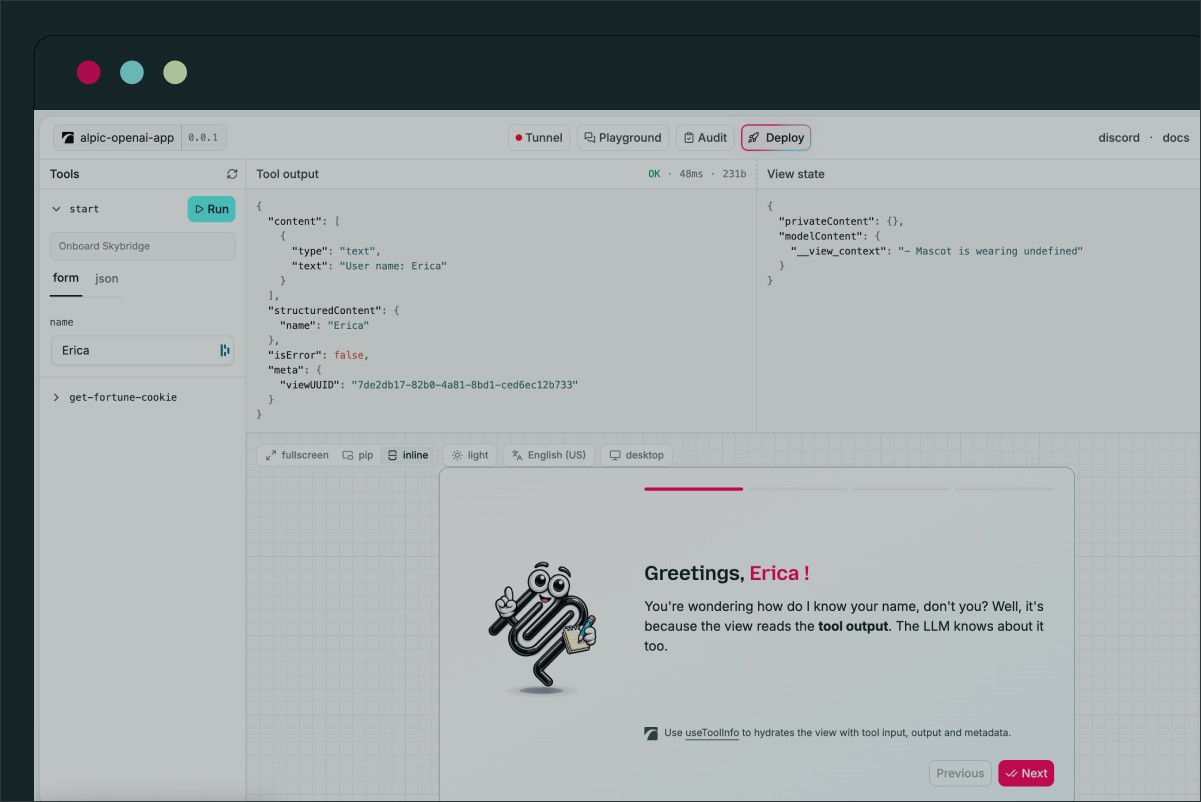
In V1, the dev tools have been redesigned from the ground up. They launch automatically when you run skybridge dev, with a layout reflecting how you actually work: views are now first-class in the interface, with a dedicated panel that makes it easy to see what your view looks like and how it responds to tool calls. There's a mobile preview mode for easy small-screen viewing.
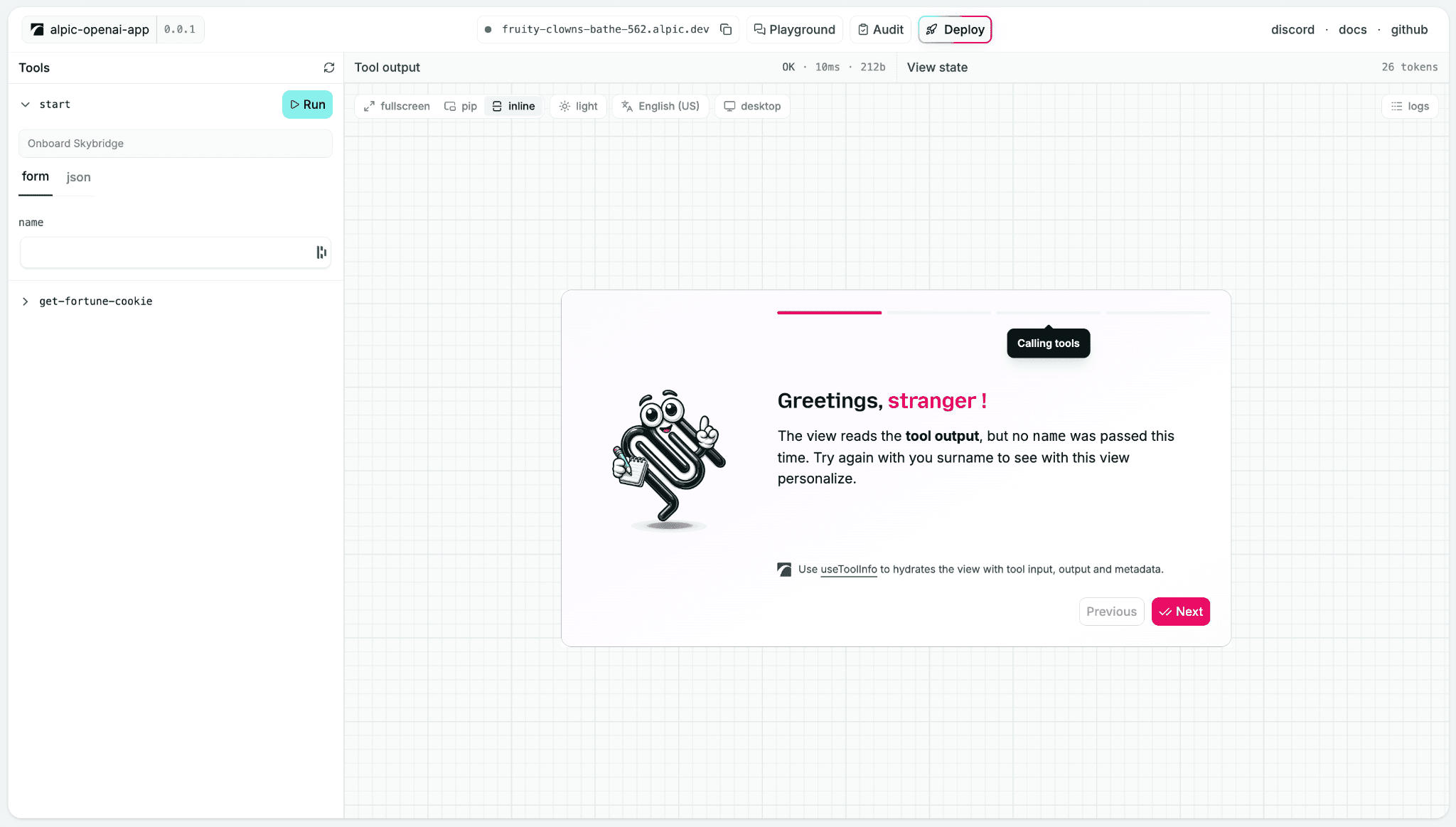
The new and improved Skybridge dev tools, including a familiar helper we snuck into the template you get when you install Skybridge. He's been waiting 25 years for a comeback, and this time, he won't interrupt you.
Most importantly, the dev tools are now a unified control panel for your entire development workflow. From the dev tools header, you can:
Open a tunnel to test against a live AI client: Alpic Tunnel exposes your local server via a stable, authenticated URL that works with any MCP-compatible client.
Test your app in the Alpic playground, a production-like environment that avoids having to add your app to ChatGPT or Claude. It's the fastest way to iterate on tool behavior and UI together.
Audit your app with Beacon, a full compliance scan of your app against the Claude Connector Directory & ChatGPT App Store. Beacon catches the things that are easy to miss in local testing: CSP misconfigurations, missing tool descriptions, client-specific quirks.
Deploy directly to Alpic or wherever your stack lives once you're ready to ship.
We believe these devtools really combine everything a developer needs to build a production-grade MCP app with no platform or iteration friction.
Deploy everywhere
Lastly, we've long believed that a framework's value shouldn't come from locking you in.
1.0 makes good on that. Your app ships with a Dockerfile in the template, and the framework is now compatible with Cloudflare Workers. Alpic Cloud remains the fastest path to production if you want zero infrastructure work, but it's a choice, not a requirement.
In a similar vein, we’ve exposed the Express server giving you full control over the application and the ability to extend it with custom routes or middleware.
Getting started
If you’re migrating an existing project, check out (or hand your coding agent) our release notes at https://github.com/alpic-ai/skybridge/releases/tag/v1.0.0
For new projects: npm create skybridge
What’s next?
V1 is a foundation, not a finish line, and it's a project we're investing more time into with every release. On the devtools side, we'll keep improving the experience, especially around CSP and auth debugging. For deployment, we'll continue broadening platform coverage. On the protocol side, we’ve got simplified auth configuration & expanded client support on the roadmap. And of course, all with the aim of making the framework even more agent-friendly with programmatic devtool APIs, better plugins and more.
Is there something you’d like to see? Open an issue or find us on Discord!
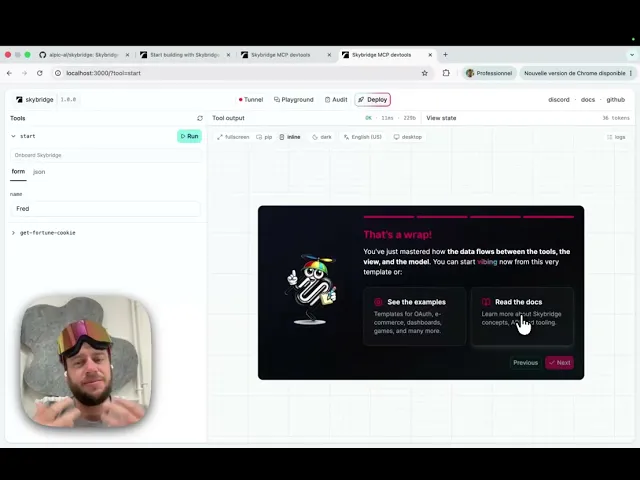
And of course, check out our latest Code with Fred to see our dev tools live in action!
Liked what you read here?
Get our newsletter!