/
MCP Guides
Introducing User Insights in Alpic Analytics

When we launched Alpic Analytics, we covered basic usage metrics (sessions, request volume by tool, resource and prompt) as well as performance (token output, latency, error rates). These offered a general overview of how your MCP server was behaving, and how to debug and improve it on a technical level. But they didn't necessarily tell you what users were actually trying to do with your MCP app.
The signal you've been missing
In an MCP context, the model decides when to invoke your tools and how to sequence them. By the time a call reaches your server, the user's original goal has already been interpreted, translated, and distilled into a function call with parameters.
In other words, tool call volume tells you a tool is being used, but doesn't tell you whether it's being used for what you built it for, or whether a pattern of unmet needs has been quietly accumulating in your traffic without showing up in any error rate.
User Insights captures the goals behind the calls, so you can see what users are actually trying to accomplish and use that to improve your app.
What you see
Intents
The User Insights dashboard sits alongside your existing analytics and adds a behavioral layer on top:
Intents capture the goal, the tool it triggered, its assigned category, and a timestamp, one by one. Intents can be categorized automatically via LLM by clicking "Suggest Categories," then accepting or rejecting the proposed taxonomy. This is where you can dig into the requests being made and how adequately your server responds to them.
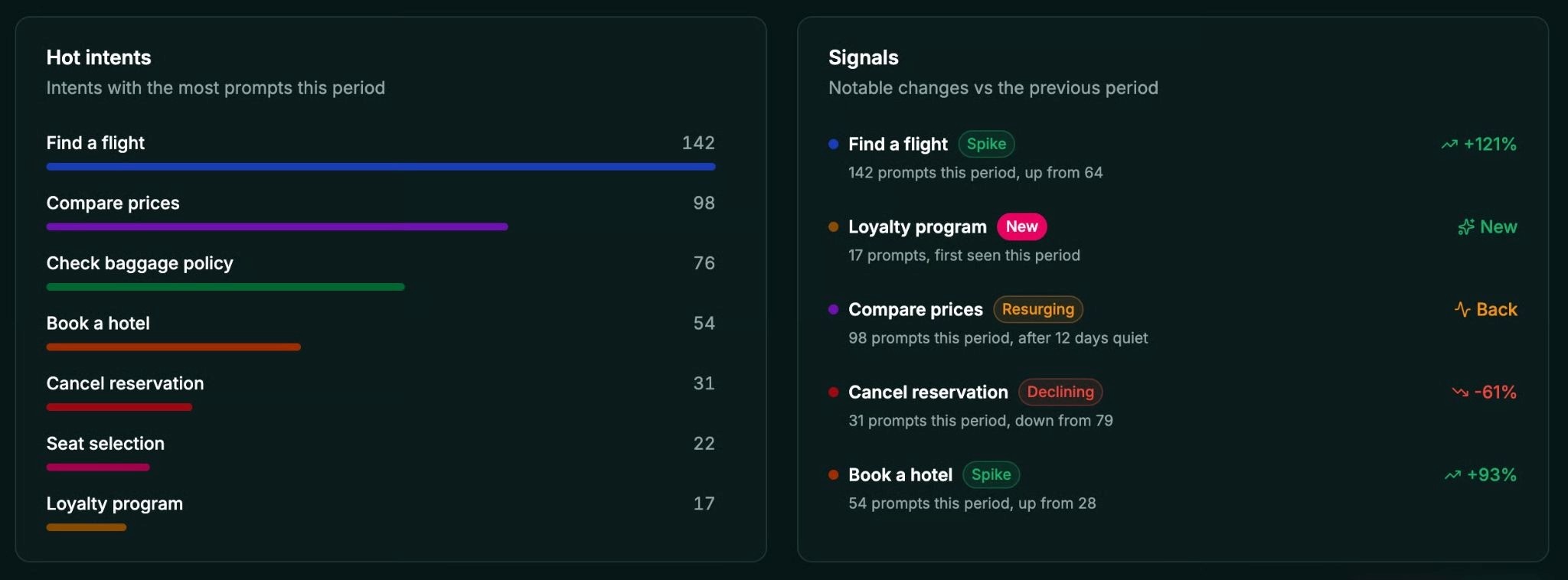
Hot Categories capture your most frequent intent categories over the selected period, useful for understanding what users are consistently trying to do and whether your tool surface and underlying product cover it.
Signals reveal trends over the period, with new, spiking, declining, and migrating requests. If something shifts in how users engage with your server, this is where to look.
Switch between different time frames and environments as needed, or export to CSV to bring the data into your own tooling.
Feedback
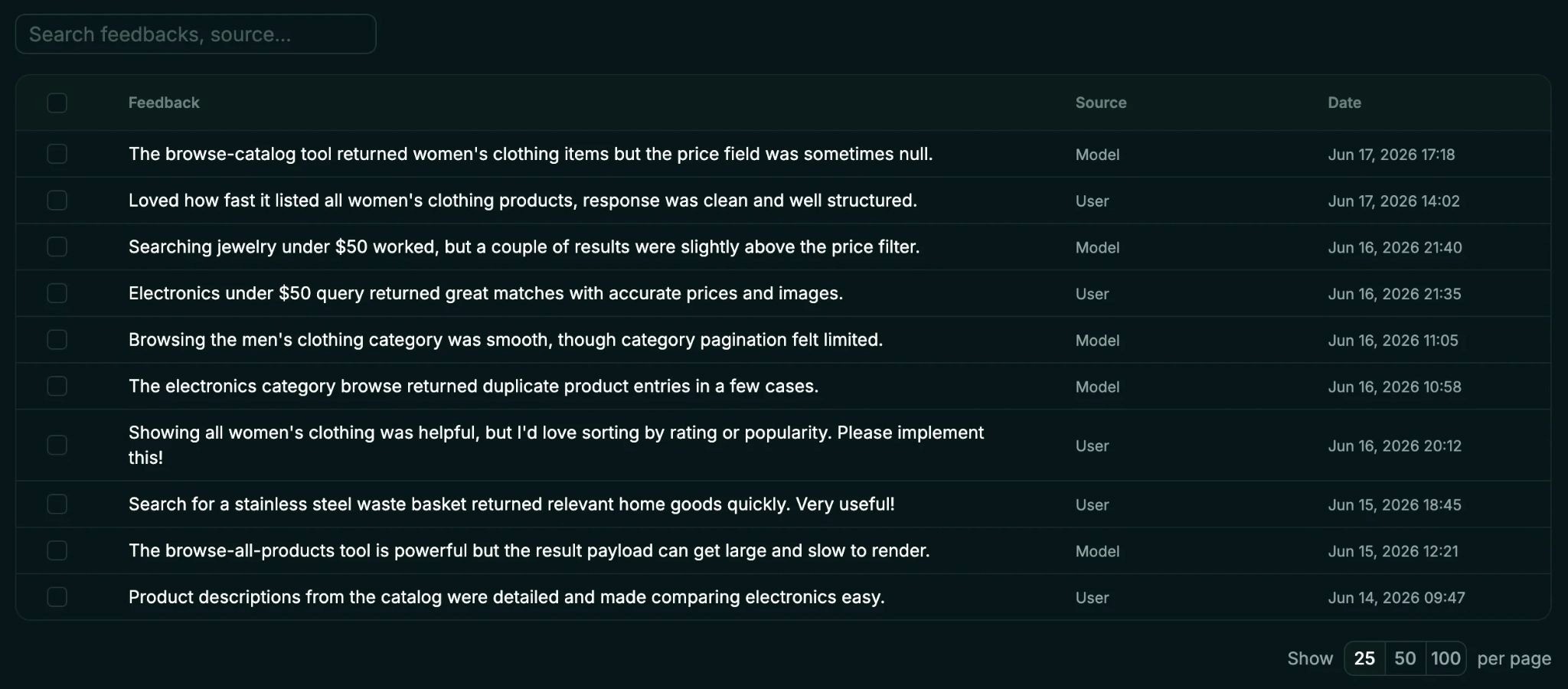
In addition to insights on what users want to do with your tools, Alpic also lets you collect user feedback directly. When relevant and when the user explicitly consents, the model can call a send_feedback tool to gather natural language feedback.
Set up
User Insights ships as a middleware for your MCP app, with support for both Skybridge and the standard MCP SDK. Personal and sensitive information is stripped by the model at the source before anything is returned to the server or stored.
For more information, check out our docs or head to your Alpic dashboard!
Liked what you read here?
Get our newsletter!