/
MCP Guides
Introducing the Skybridge Skill: A structured way to prototype and build ChatGPT and MCP Apps even faster
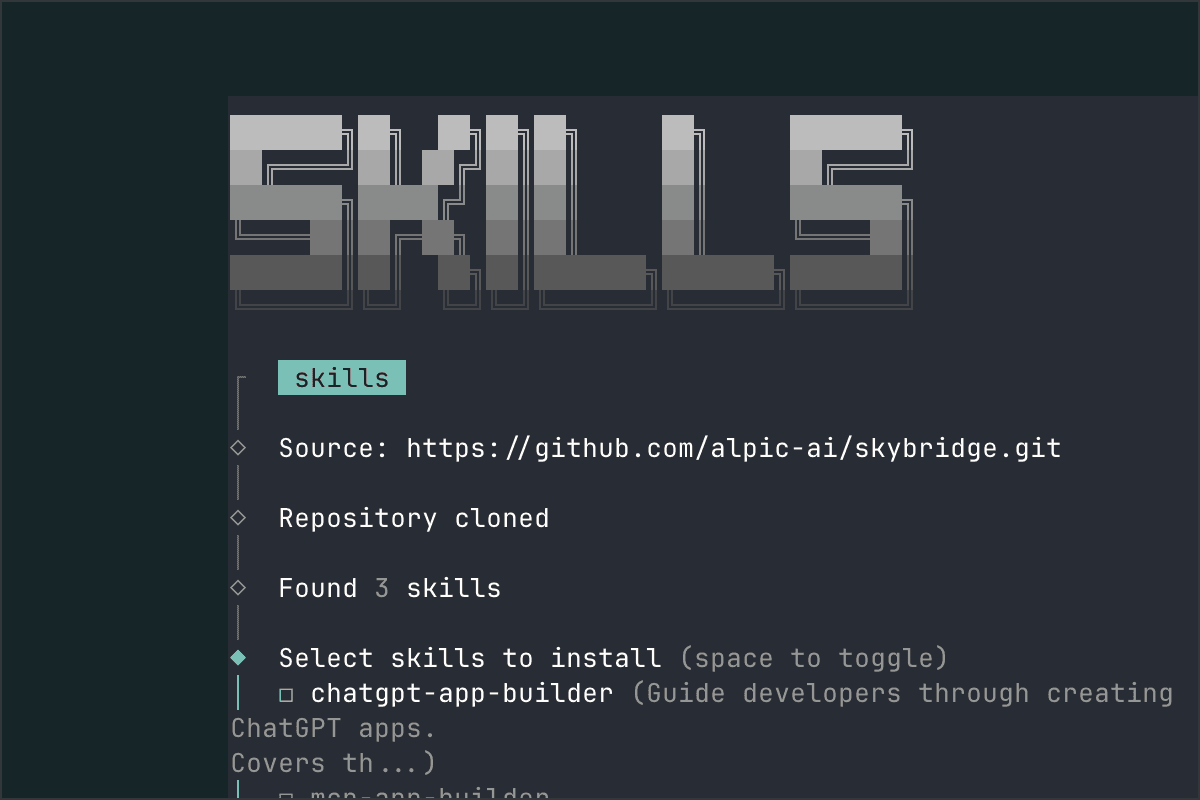
TLDR: We built a skill! Get started: npx skills add alpic-ai/skybridge -s skybridge
Over the past months, we have helped hundreds of teams deploy, publish, and distribute MCP servers and ChatGPT Apps on Alpic. One recurring pattern stood out: building apps is still hard.
First, we tackled the tooling gap with Skybridge, helping teams build faster and more confidently by bringing a modern devEx and React tooling to MCP Apps.
Yet teams sometimes still lack the time, the resources and the reflexes to build for this new dual interaction surface. Plus many product owners and non-technical teams want to experiment with building chatGPT apps, but don’t know where to start or are quickly stymied by their coding agents’ lack of understanding of this new category.
ChatGPT Apps and MCP Apps were born after most models’ training cut-off. When you ask a coding agent to build one, it defaults to what it knows: REST APIs, traditional web flows, endpoint-per-tool mapping, or generic frontend scaffolding. The result often works syntactically. Conceptually, it misses the point.
So we built something small, practical, and surprisingly effective.
We built a skill!
But…. what’s a skill?
Before going further, it’s worth stepping back and clarifying the vocabulary. Terms like coding agent, agents.md, and Skill are often used interchangeably, but they describe different layers of the same system.
A coding agent is the system that writes and edits code for you. It reads your repo, runs commands, and implements features.
An agents.md file is static project guidance. It usually lives at the root of the repository and describes conventions and constraints the agent should follow.
A Skill is more structured and task-specific. It’s a packaged workflow the agent loads when relevant. It can enforce sequencing, require certain files or project structure, and guide the agent through discovery and architecture before implementation.
In practice, these three work together. The agent executes, agents.md provides background context, and a Skill shapes how a specific type of problem is approached.
How to use the Skybridge skill
Sometimes a skill can be as simple as a single instruction. However, we chose to make ours structured and holistic.
The Skybridge Skill guides the agent through the full lifecycle of building a ChatGPT or MCP App:
idea validation
UX definition
SPEC.md creation
architecture decisions
tool design
Implementation
deployment
The key to keeping this in order is sequencing.
When you start a project with the skill enabled, the agent does not immediately scaffold a server. It first tries to understand what you are building and help you through the app design. This saves you time and headaches later!
Take a simple example: “I want users to order pizza from my restaurant through ChatGPT.”
With the Skill enabled, the agent starts by clarifying the value of the conversational flow. It drafts a SPEC.md, defines the role of the UI widgets, and structures the experience around user journeys. It then proposes a focused set of tools aligned with the interaction (toppings, adding to cart, checkout, etc.)
You move from idea to a structured, ChatGPT-native design in a few guided steps.
Try it out and you’ll see!
How to get started with the Skybridge skill
The Skill is publicly available via the Vercel Skills CLI: npx skills add alpic-ai/skybridge -s skybridge
Or discoverable with: npx skills find "skybridge"
Once installed, compatible coding agents can load it automatically when working on ChatGPT or MCP Apps. That's it, you're all set and ready to build your app.
Good prompts will ensure your app is built as you imagined it. The more specific you are, the better, but make sure your prompt includes at least three key elements: the app objective (what it needs to do), the expected interactions (what you want to see/do), and the necessary context (where data comes from and any relevant constraints).
Here are some prompt examples to build ChatGPT & MCP Apps:
“Build an MCP App for our SaaS product that lets users manage their personal and work tasks directly from the conversation, syncs with our backend, and highlights daily priorities based on deadlines and urgency. Users should be able to create tasks from natural language, distinguish between personal and work items, update deadlines or priorities, and view a clear daily summary.”
“Create a ChatGPT app for our ticketing platform that analyzes upcoming concerts from our catalog and recommends the best option based on date, location, and music preferences, with a booking flow embedded in the widget. Users should be able to describe what they’re looking for, compare relevant events in a structured view, refine their criteria conversationally, and complete a booking without leaving ChatGPT.”
Conclusion
ChatGPT Apps and MCP Apps are still a new category. The patterns are emerging, but they're not yet obvious, whether you are a human builder or a coding agent!
The Skybridge skill is our attempt to encapsulate what we've learned from hundreds of deployments into something reusable. It's opinionated, structured, and designed to guide agents toward better decisions before the first line of code is written.
For technical teams, this acts as an architectural guardrail. For non-technical founders, it acts as a structured thinking partner. In both cases, it shortens the path from idea to a coherent app.
The skill will evolve as we learn from how teams use it, and we're excited to see what gets built with it. If you try it, we'd love to hear from you!
Join our Discord to talk with our team!
Liked what you read here?
Get our newsletter!